A DAW for Mac with an engineer built in. Your creativity, your direction, realized.
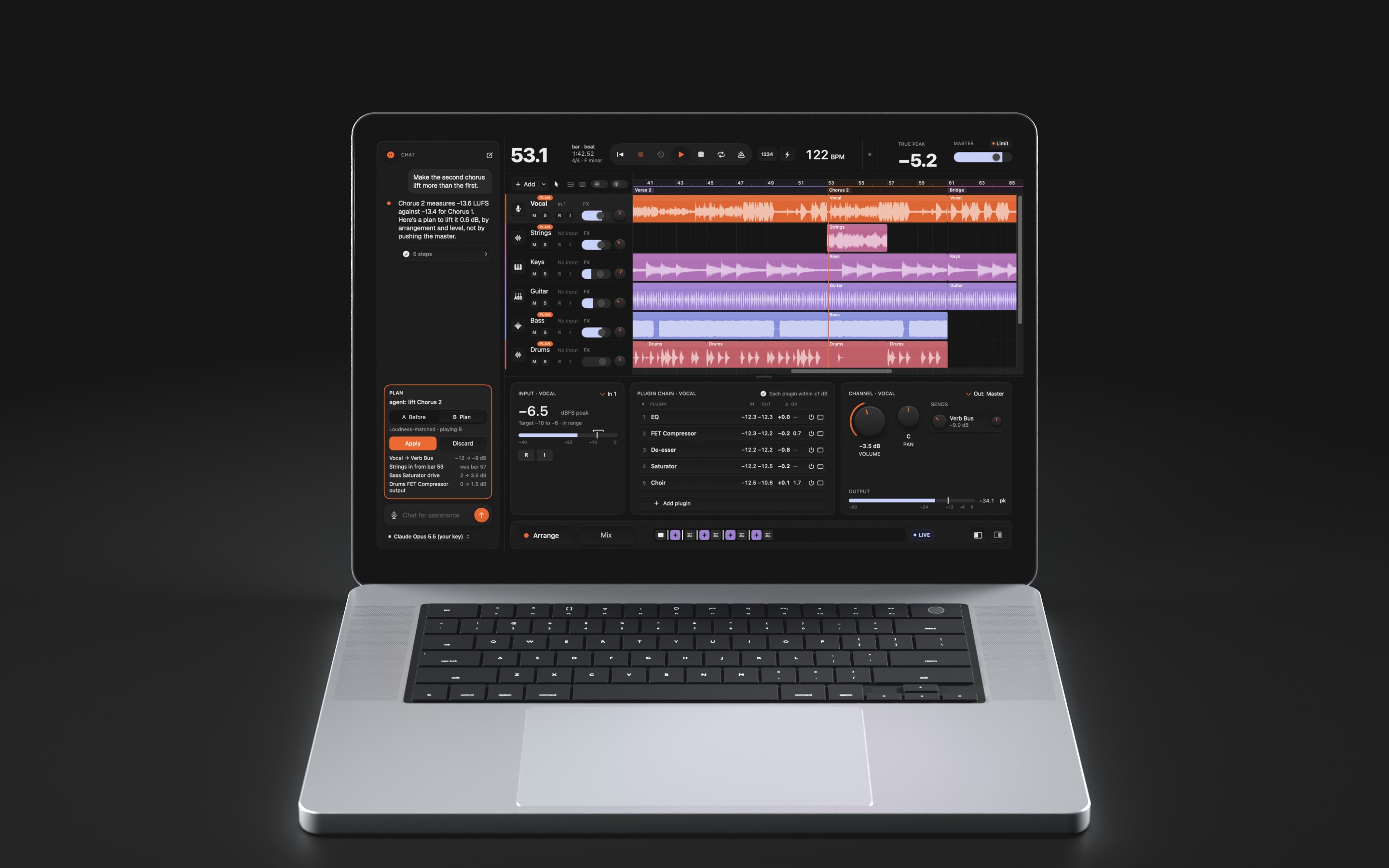
Sound like a pro mixed it. Without being one.
It sounds like a demo.
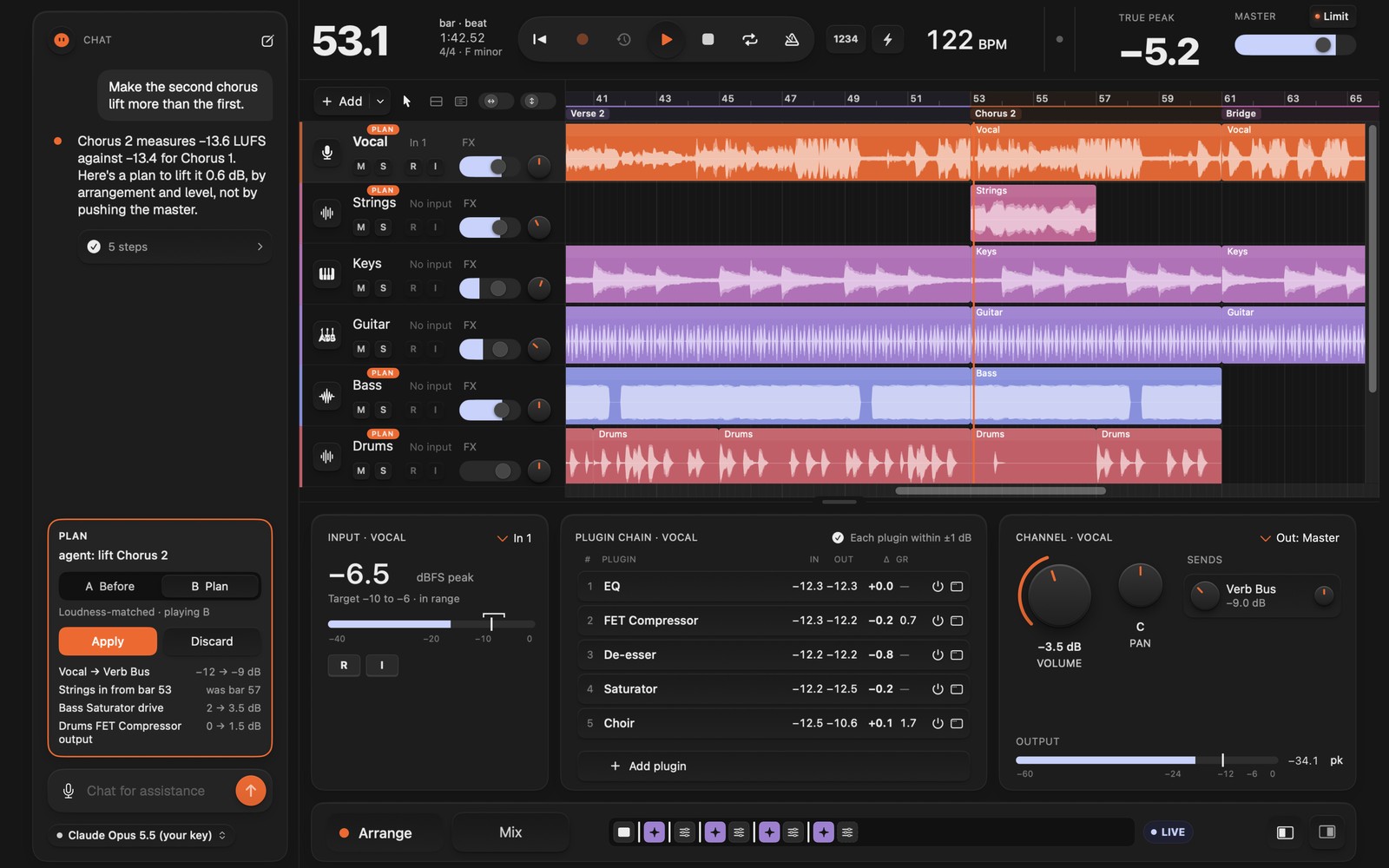
It builds a finished chain from the plugins you already own.
It’s too quiet, or it distorts.
It sets every level by measuring, with headroom to spare.
Something’s off, but I can’t say what.
It finds harsh S’s, ringing notes and noise, and puts the fix in the plan.
Is it better, or just louder?
It plays you before and after at the same volume, so you can tell.
Final_v3_REAL_final.wavIntroducing Tape.
Missing the one plugin you need.
Everything a DAW does. Plus an engineer.
Your plugins
The AU and VST3 plugins you already own, with the engineer learning what each control does.
Your AI, or ours
Use our engineer on a plan, or bring your own AI with the license.
Your song stays yours
Your projects and recordings are saved on your Mac, and what you make is yours.
Several tracks at once, count-in, punch-in, loop recording and take folders.
Regions, fades, splits and trims, groups and folders. Every change kept, and you can go back to any one.
Keyboards and modules, a piano roll, a score editor and software instruments.
Buses, sends and outputs, your AU and VST3 plugins and Ovrtone's own, a safety limiter on the master.
WAV, AIFF, FLAC, AAC and ALAC, at a loudness target.
Builds the chain from your plugins, measures every level and plays you the plan first.
Describe one and it's written, checked and put in your chain. On Pro, Studio and the license.
Ask for chords and get three, safe to unexpected. You pick; it learns what you like.
Measured, not guessed.
Loud enough to work with, with room to spare before it distorts.
A louder version sounds better, even when it isn’t. Each plugin comes out about as loud as it went in, so you hear what it does, not that it got louder.
Enough to hold a vocal steady, not so much that it sounds squashed.
Headroom at the very top: the margin streaming services recommend, so the peaks hold up when they convert it.